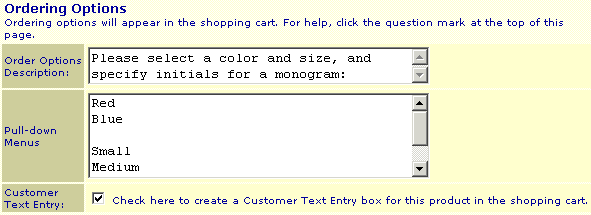
Here is an example of how ordering options are displayed on the shopping cart screen:
Screen: ShopSite > Products > Edit Product Info
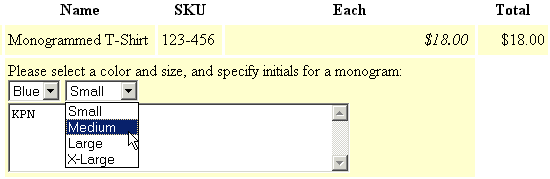
The ordering options feature allows customers to specify options for a product, such as color and size. The options choices can appear with the product listing in your store and on the order form, or just on the order form. The customer's choices will appear with the report of the sale in the e-mail notification and in the Orders section of ShopSite.
Note: |
You cannot use this feature if the price of the item changes due to options that the customer specifies. You must enter differently-priced items into the database separately. For example, if the size XL sweatshirt is $2.00 more, it must be a separate product, or else the order total will not be correct.
|
Here is an example of how ordering options are displayed on the shopping cart screen:
|
ShopSite Help and Resource Center February 6, 2002 Give Feedback |
 Copyright © ShopSite, Inc. http://www.shopsite.com |