ShopSite Enterprise is a high-end solution for merchants wanting to run a database server such as MySQL or MariaDB. Enterprise can be installed on your 64-bit Linux server; the only tools required are a Web browser and SFTP/FTPS and shell (SSH) access to your server.
Warning: |
Whenever connecting to your server for administrative purposes (such as installing or upgrading ShopSite), you should use a secure connection. Telnet and standard FTP are both unencrypted connections, and could be intercepted. Always use a secure connection, such as SSH for shell connections, and FTP over SSH or SFTP for file transfers.
|
The process of installing ShopSite Enterprise is very similar to installing standard ShopSite for Pro, Manager or Starter stores except that additional steps are needed for the database server. To begin, follow the standard ShopSite installation instructions for Preparation, Obtaining Installation Files, and Uploading the files. After comnpleting these sections you are ready to Setup the Database Server.
ShopSite Enterprise supports either MySQL or MariaDB database servers. Once you have a working version of either database server do the following:
CREATE FUNCTION ss_removehtml RETURNS STRING SONAME 'ss_removehtml.so';To see if Create worked run:
SELECT * FROM mysql.func WHERE name = "ss_removehtml";
mysql_log_error: 1This will log SQL statement errors into data/mysql_error.log with the Error and the offending sql query.
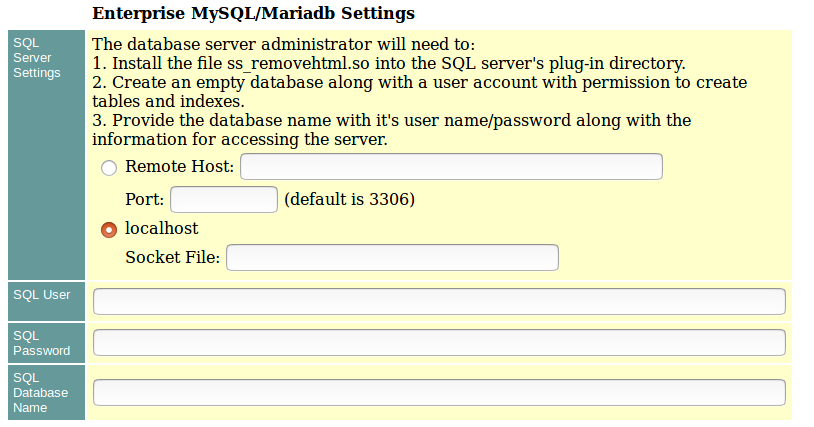
Fill in the appropriate information that you noted when you set up the initial database or table. Then complete the other installation prompts as documented here.
